Output files#
When BowshockPy is run from the terminal using an input file, it will create the path models/<modelname> if it does not exist already. Then, it will save there several files:
<modelname>.py: A copy of the input file used to generate the model.
bowshock_model_<n>.pdf: A plot depicting the morphology and kinematics of the bowshock n, being n the index of the bowshock; i.e., if three bowshocks are included in the model, there will be three plots, one for each bowshock: bowshock_model_1.pdf, bowshock_model_2.pdf, and bowshock_model_3.pdf.
bowshock_projected_<n>.jpg: A plot depicting the projected morphology and kinematics of the bowshock with index n.
bowshock_cube_<cubename>.pdf: A plot with the channel maps of the spectra cube named cubename.
momentsandpv_and_params_<cubename>.pdf: If specified in outcubes parameter,
BowshockPywill also compute the moments and position-velocity diagram from the spectral cubes.Fits files: The spectral cubes will be saved in fits format within
models/<modelname>/fitsfolder.
The filename of each cube is an abbreviation of its quantity and the operations performed to it (<quantity>_<operations>.fits). The next tables shows the abbrevations used in the filename of the cubes for their quantities and the operations:
Quantity |
Abbreviation |
Unit |
|---|---|---|
Mass |
m |
solar mass |
Column density (H2+ heavier components) |
Ntot |
cm-2 |
Column density emitting molecule |
Nmol |
cm-2 |
Opacities |
tau |
|
Intensity |
I |
Jy/beam |
Operation |
Abbreviation |
|---|---|
add_source |
s |
rotate |
r |
add_noise |
n |
convolve |
c |
For example, the cube I_nc.fits, is a cube of the intensities (I) with Gaussian noise (n) and convolved (c). The operation “rotate” is performed internally before computing the position-velocity diagram.
Plots of the morphology and kinematics of the bowshock#
For each bowshock, a plot named bowshock_model_<n>.pdf will be generated with the morphology and kinematics of the bowshock model. At the left, the input parameters of the bowshock are shown: v_j is the velocity of the internal working surface, v_0 is the velocity at which the jet material is ejected sideways from the internal working surface, va is the velocity of the ambient, L_0 is the characteristic scale, z_j is the position of the internal working surface from the origin, r_b,f is the final radius of the bowshock, and m is the mass of the bowshock shell. In addition, four parameters has been derived: t_j is the dynamical time of the bowshock, rho_a is the ambient density, mdot_0 is the rate of jet material ejected sideways from the internal working surface, and mdot_a,f is the rate of ambient material incorporated into the bowshock shell.
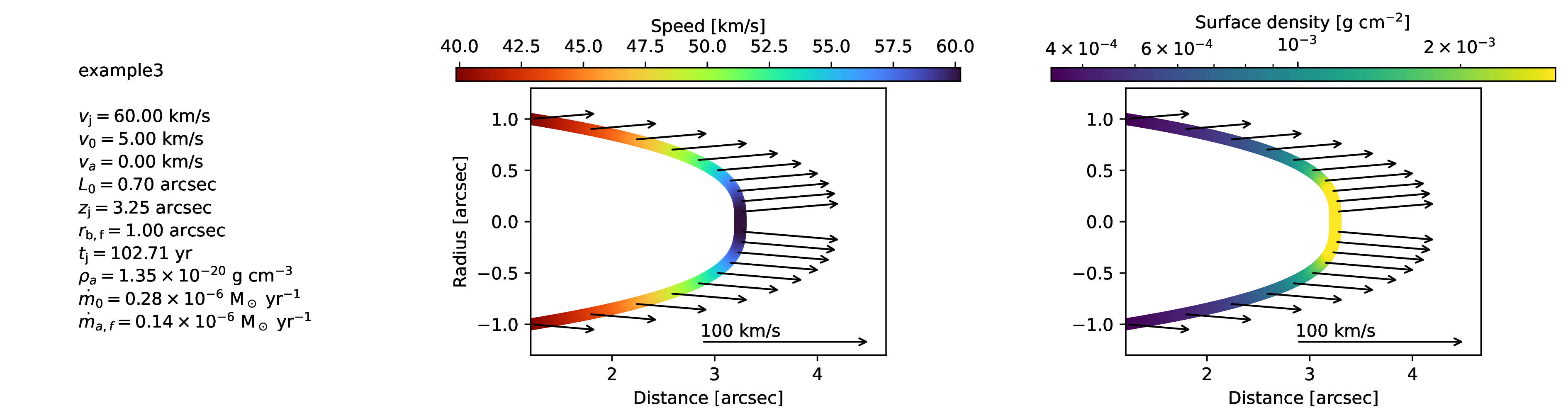
Bowshock model. This figure will be generate for each bowshock included in the cube.#
Plots of the projected morphology and kinematics of the bowshock#
For each bowshock, a plot named bowshock_projected_<n>.jpg will be generated showing the projected morphology and kinematics of the bowshock shell. On the upper left panel, the input parameters are listed, where i is the inclination angle of the bowshock symmetry axis with the line-of-sight and vsys is the systemic velocity of the source.
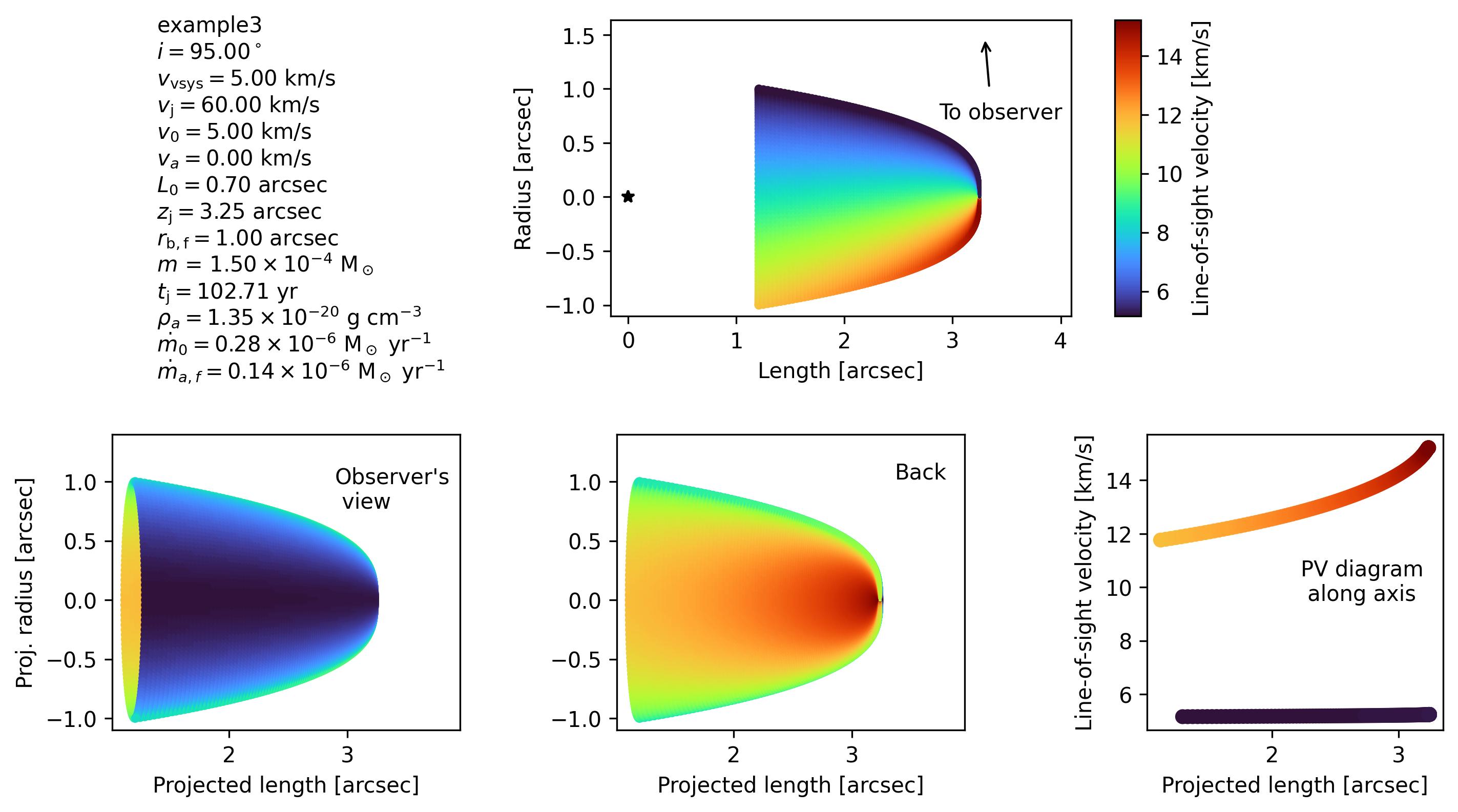
Projection of bowshock model. This figure will be generate for each bowshock included in the cube.#
Plots of the channel maps#
A plot with a selection of channel maps, named bowshock_cube_<cubename>.pdf, will be generated.
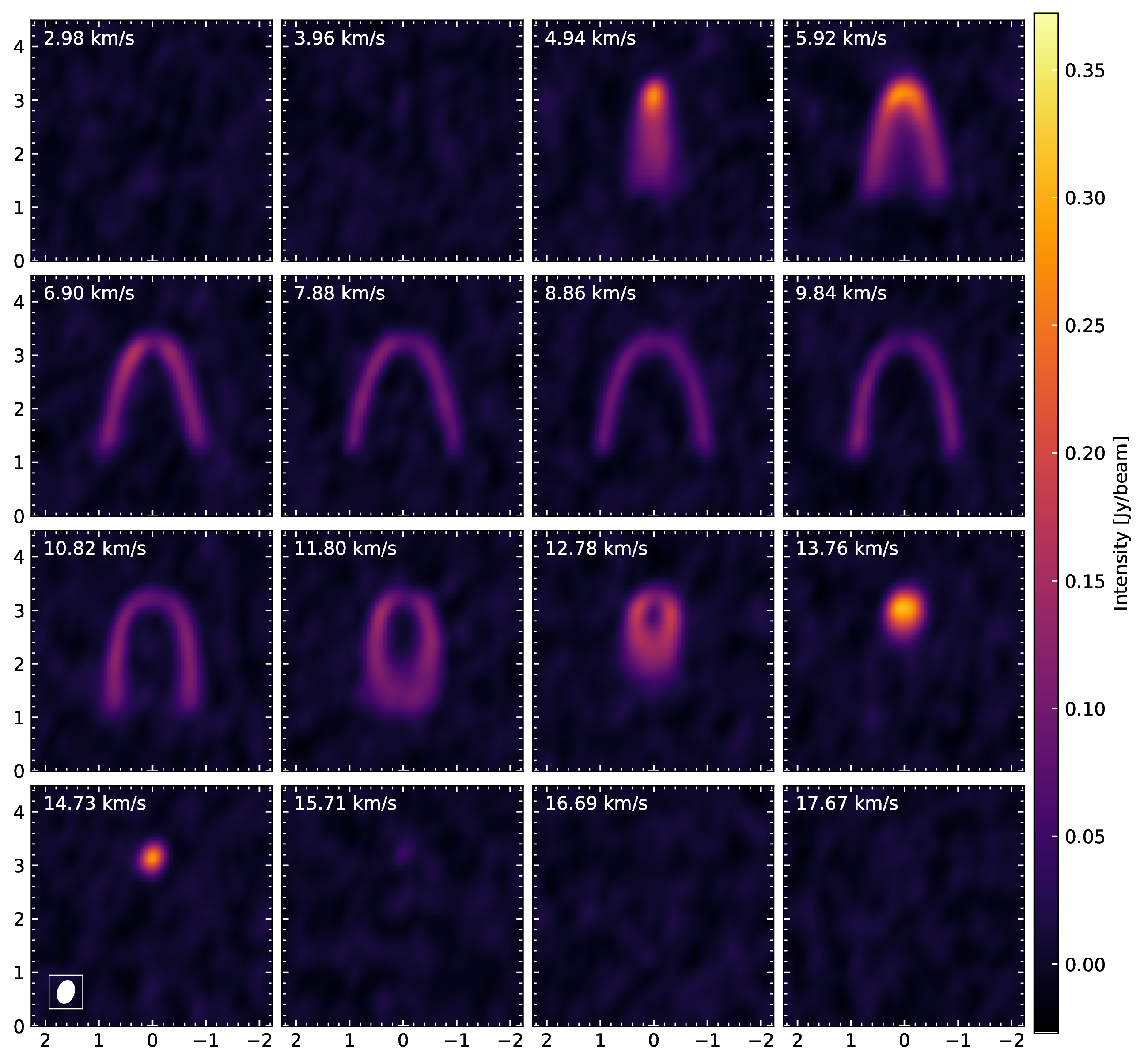
Channel maps of the bowshock model.#
Plot of the moments and position velocity diagrams#
If specified in the input parameter outcubes (see input file parameters section), a plot with the moments and position velocity diagram, named momentsandpv_and_params_<cubename>.pdf, will be generated.
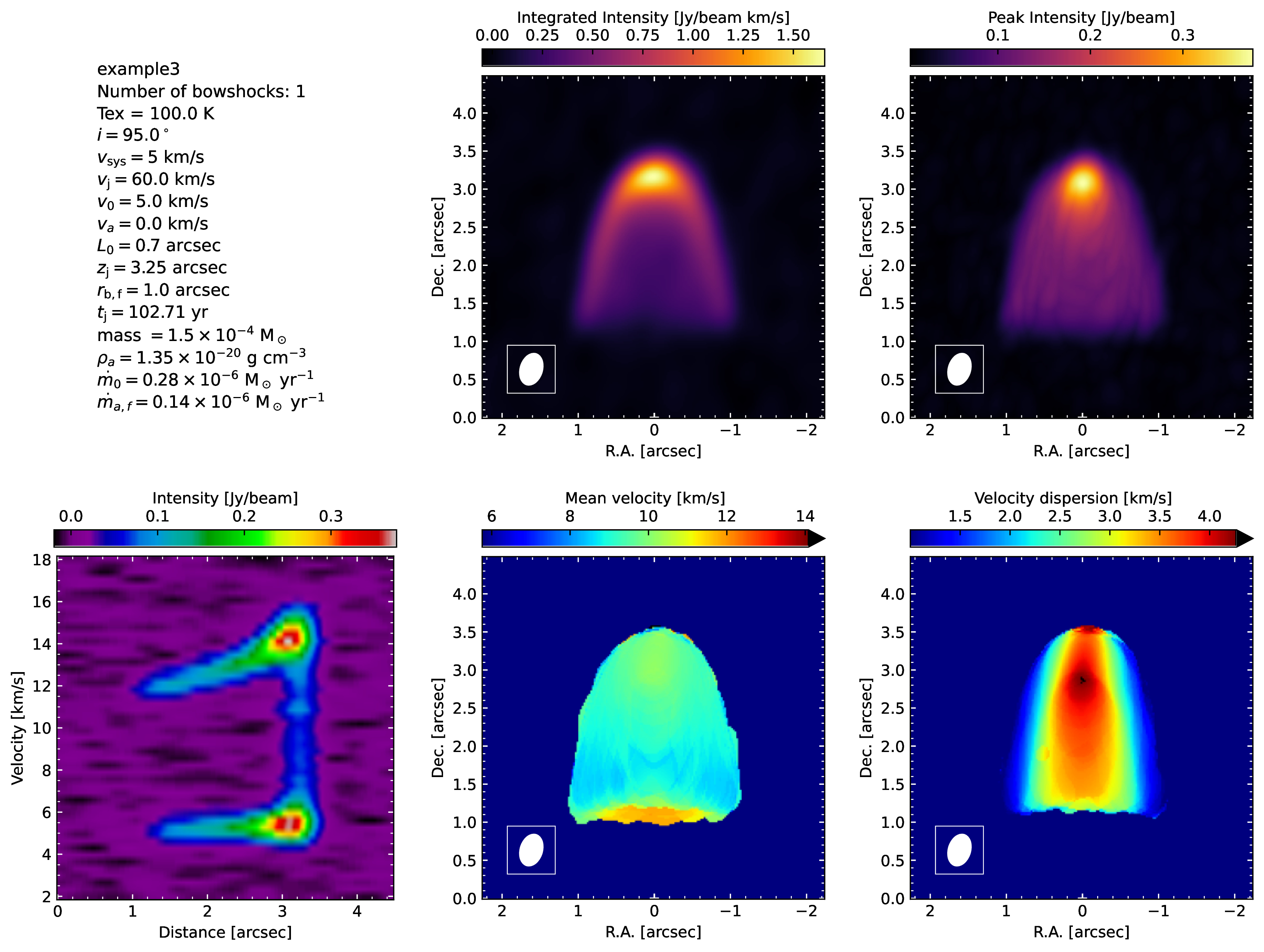
Moments and position-velocity diagram of the spectral cube.#
Fits files#
The cubes in fits files format will be saved in models/<modelname>/fits, and they can be open with casaviewer, CARTA, or ds9.
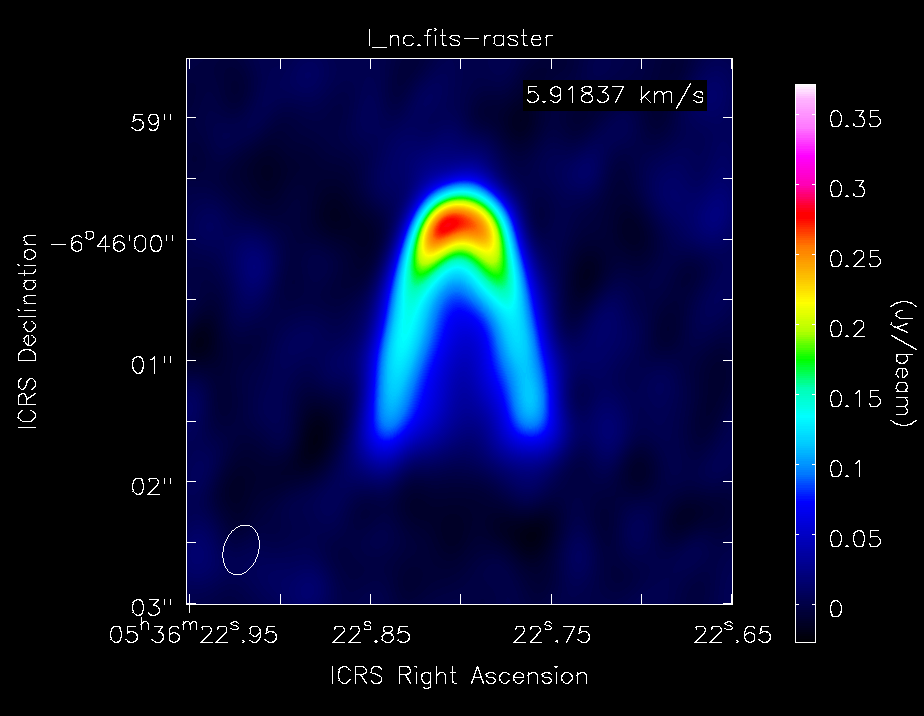
Channel map visualized with casaviewer.#
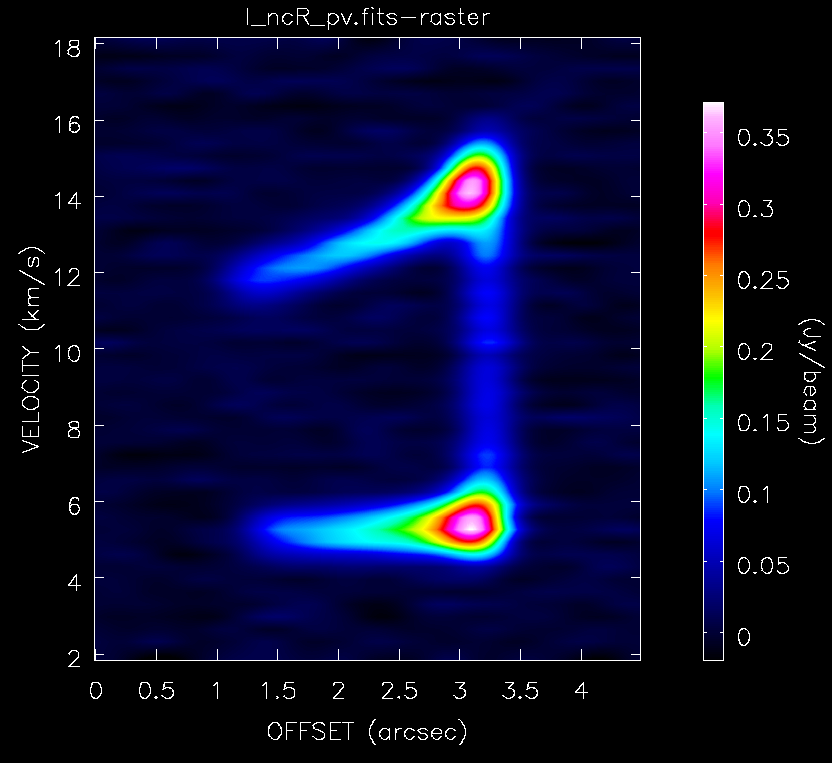
Position-Velocity diagram visualized with casaviewer.#